AD7 Product Description
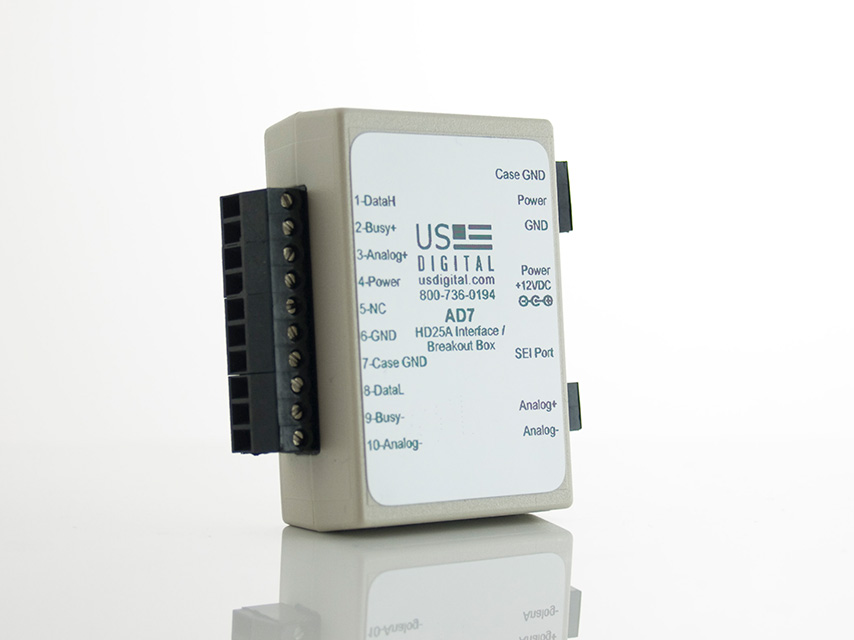
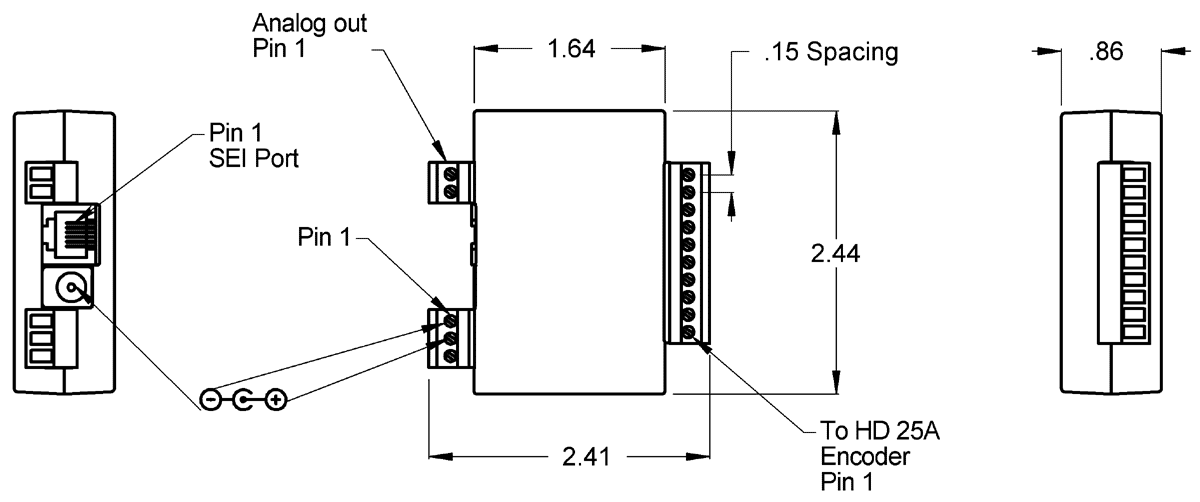
Connect the HD25A to the AD7 to have easy access to both the SEI bus and the analog output. The AD7 has both a power jack for plugging in a US Digital PS-12 power supply and screw terminals for connecting a customer-supplied power supply (5.5 to 16VDC). DIN-rail mounting is available. There is a 6-pin RJ-12 female connector to connect the AD7 to the SEI bus via an AD2B or SEI-USB . This, in turn, allows complete control of the HD25A via your PC. Analog+ and Analog- are available on a two-position screw terminal plug/socket on the AD7.
Product Specifications
PIN-OUT
PIN
DESCRIPTION
1
DataH
2
Busy+
3
Analog+
4
Power
5
NC
6
Ground
7
Case Ground
8
DataL
9
Busy-
10
Analog-
Note: Please see the SEI page for more information on the SEI port pin-out.
Additional Information
Product Notes
US Digital® warrants its products against defects in materials and workmanship for two years. See complete warranty for details.
Datasheet
Feedback
US Digital's mission is a commitment to quality and constant improvement. If you find an error to a product on this page, please let us know !
Save Your Configuration
Easily keep track of your custom part numbers
What is this feature?
While configuring your encoder, you can save your custom part number at any stage. This helps you keep track of multiple configurations without needing to start over or write anything down.
How does it work?
Click “Add This Configuration to Your List” after selecting your options.
Your saved part number will appear in a mini list below the configurator.
The list is stored locally in your browser and persists across product pages.
Enter a quantity to view default pricing.
What can you do with saved configurations?
When you're ready, visit the Saved Configurations List page to:
Review all saved part numbers
Fill out a form to send your selections to US Digital Customer Service
Receive follow-up to complete your order or get support
Why use it?
Save time by avoiding repeated configurations
Compare multiple part numbers side-by-side
Simplify communication with our support team
Got it!
 My Saved List