S16 Product Description
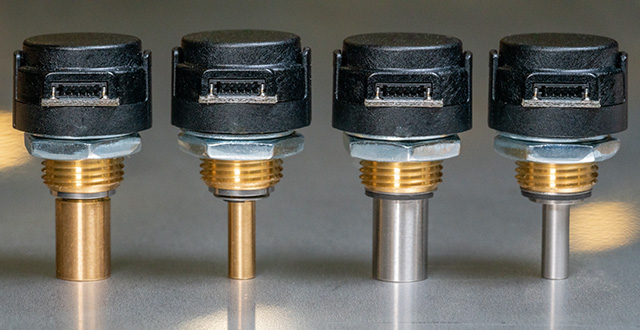
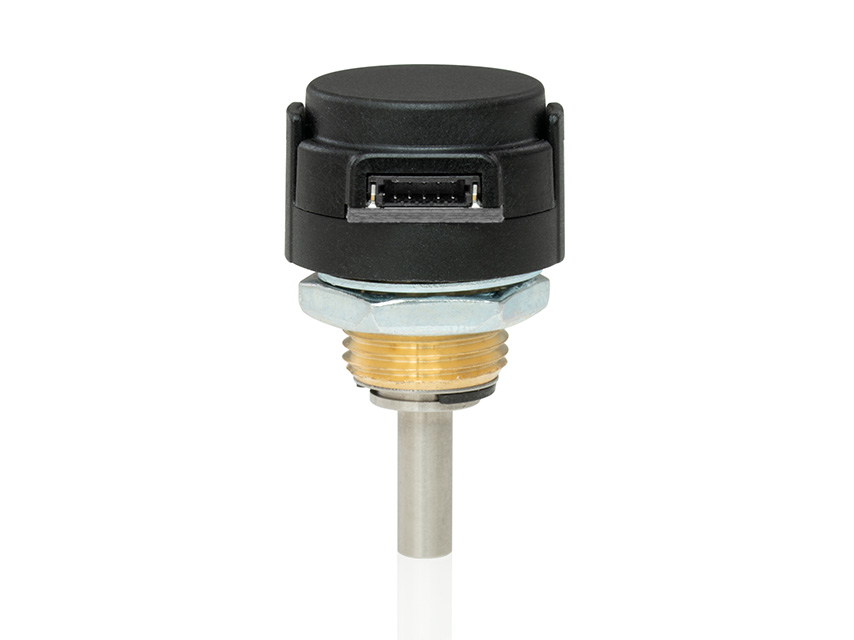
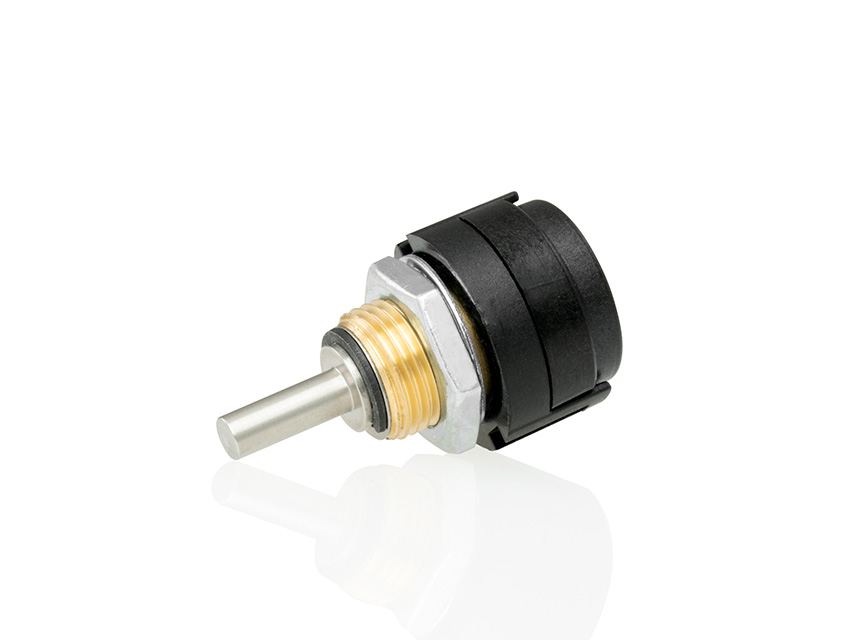
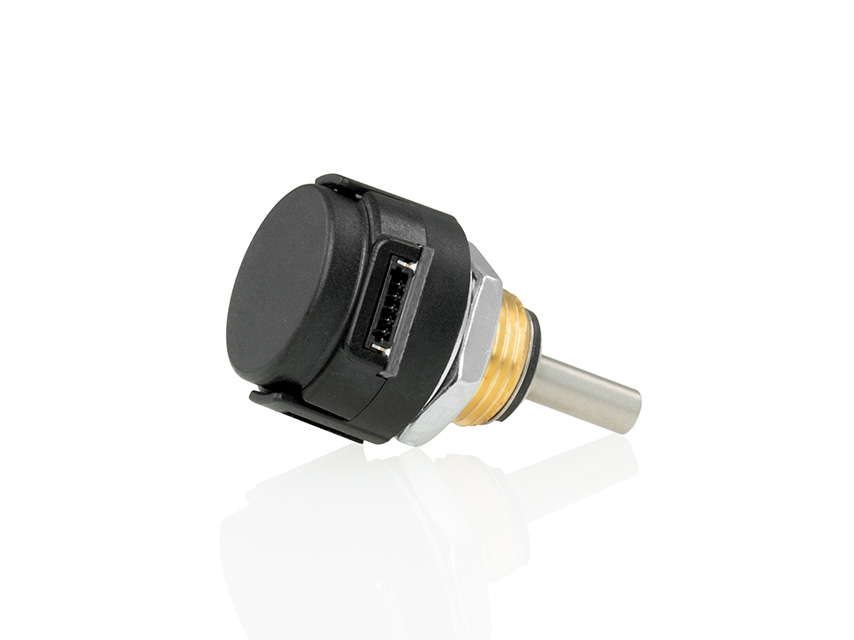
The S16 miniature optical rotary encoder converts shaft position or speed into a quadrature output signal with index. This optical shaft encoder delivers resolutions up to 16,384 PPR in a housing measuring about 16 mm (5/8 in.) in diameter. It is available in 3 shaft sizes: 1/8 in., 6 mm, 1/4 in.
US Digital offers three different shaft torque options to suit a range of applications:
Default (-D): sleeve bushing with higher damping for human interface applications.
Ball bearing (-B): miniature precision ball bearings suitable for high-speed applications.
Light static drag (-N): sleeve bushing with lower damping for low-speed applications.
This S16 miniature encoder is designed for use with a polarized high retention connector. After you make your selections in the Product Configurator, compatible cables will be displayed below and must be ordered separately.
Product Specifications
ENVIRONMENTAL
PARAMETER
VALUE
UNITS
Operating Temperature
-40 to 100
C
Electrostatic Discharge, IEC 61000-4-2
±12
kV
Vibration (10Hz to 2kHz, sinusoidal)
20
G
Shock (6 milliseconds, half-sine)
75
G
MECHANICAL
SPECIFICATION
SLEEVE BUSHING
BALL BEARING
Max. Acceleration
10000 rad/sec²
250000 rad/sec²
Max. Shaft Speed (1)
100 RPM
15000 RPM
Max. Shaft Torque
0.5 in-oz (D-option)
0.05 in-oz (B-option)
Max. Shaft Loading
2 lbs. dynamic
1 lb.
Bearing Life
> 1000000 revolutions
L10 = (22/Fr )³ *L10 = bearing life in millions of revs, andFr = radial shaft loading in pounds
Weight
0.48 oz.
0.43 oz.
Max. Shaft Runout
0.0015 in. T.I.R.
0.0015 in. T.I.R.
Max. Panel Nut Tightening Torque
20 in-lbs
20 in-lbs
Technical Bulletin TB1001 - Shaft and Bore Tolerances
Download
* Only valid with negligible axial shaft loading.
(1) The maximum speed due to electrical considerations is dependent on the CPR. See the E16 product page.
ELECTRICAL
PARAMETER
MIN.
TYP.
MAX.
UNITS
NOTES
Supply Voltage
4.5
5.0
5.5
V
Supply Current
18
26
mA
no load
Low-level Output
0.4
V
IOL = 4 mA, Vcc = 5V
High-level Output
4.7
V
IOH = 4 mA, Vcc = 5V
Output Rise Time
80
135
ns
no load
Output Fall Time
80
135
ns
no load
Maximum Output Frequency
PHASE RELATIONSHIP
Specifications apply over the entire operating temperature range.
Values are for the worst error over full rotation.
Refer to the timing diagram below.
PARAMETER
SYMBOL
MIN.
TYP.
MAX.
UNITS
Symmetry
X, Y
150
180
210
°e
Quadrature
Z
60
90
120
°e
Index Pulse Width
Po
60
90
120
°e
Ch. I Rise After Ch. B or Ch. A Fall
t1
10
ns
Ch. I Fall After Ch. B or Ch. A Rise
t2
10
ns
TIMING DIAGRAM
B leads A for clockwise shaft rotation, and A leads B for counterclockwise rotation viewed from the shaft side of the encoder.
PIN-OUT
PIN
DESCRIPTION
1
Ground
2
Index
3
A channel
4
+5VDC power
5
B channel
Additional Information
Product Notes
Cables and connectors are not included and must be ordered separately.
For ordering information please configure the product and you'll see the Compatible Cables / Connectors section above.
US Digital® warrants its products against defects in materials and workmanship for two years. See complete warranty for details.
Related
3D Model Downloads
Please
configure your product first
to download a 3D model. (Note: The formats below will become links if there are 3D models available.)
SolidWorks Format
IGES Format
Parasolid Format
STEP Format
Datasheet
Feedback
US Digital's mission is a commitment to quality and constant improvement. If you find an error to a product on this page, please let us know !
Save Your Configuration
Easily keep track of your custom part numbers
What is this feature?
While configuring your encoder, you can save your custom part number at any stage. This helps you keep track of multiple configurations without needing to start over or write anything down.
How does it work?
Click “Add This Configuration to Your List” after selecting your options.
Your saved part number will appear in a mini list below the configurator.
The list is stored locally in your browser and persists across product pages.
Enter a quantity to view default pricing.
What can you do with saved configurations?
When you're ready, visit the Saved Configurations List page to:
Review all saved part numbers
Fill out a form to send your selections to US Digital Customer Service
Receive follow-up to complete your order or get support
Why use it?
Save time by avoiding repeated configurations
Compare multiple part numbers side-by-side
Simplify communication with our support team
Got it!