
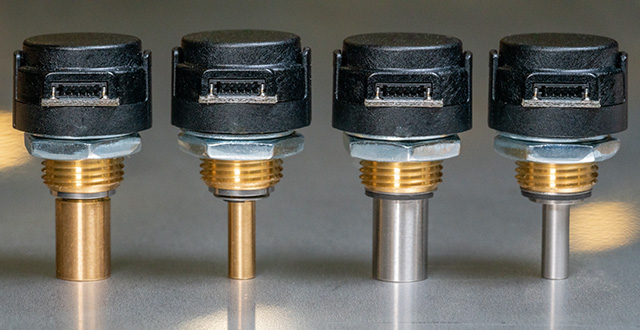
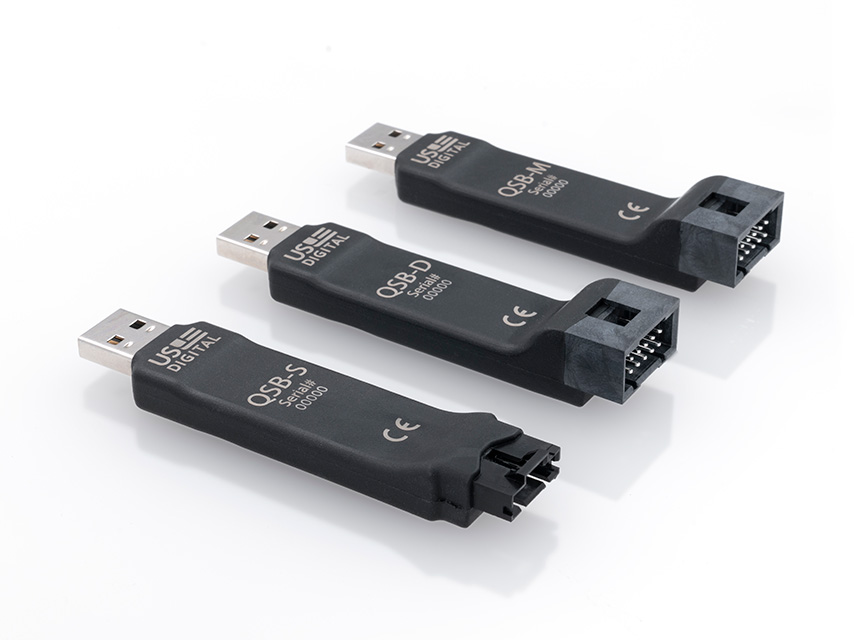
The QSB software enables users to explore various features of the QSB product. The software and drivers have been designed and tested to only work on Windows 10 and 11.
US Digital Device Explorer
This download includes the US Digital Device Explorer which utilizes the .Net US Digital Device Library to scan for US Digital devices and display device specific configuration and status panels. US Digital devices are added...
READ MORE (Read me file)
|
VIEW SCREENSHOT
DOWNLOAD usdigitaldeviceexplorersetup_15813.zip
(Version: 1.58.13 6/17/2025)
US Digital Device Explorer zip (READ ME file)
This download includes the US Digital Device Explorer which utilizes the .Net US Digital Device Library to scan for US Digital devices and display device specific configuration and status panels. US Digital devices are added to and removed from the US Digital Device Explorer by listening to plug-and-play events.
The US Digital Device Library provides a framework to communicate with A2, QSB, and T7 devices.
NOTES:
- The QSB demos included in this setup are written to communicate at the default baud rate of 230400 bps. If a different baud rate is required, use the US Digital Device Explorer to change the device's baud rate.
- The latest release of the US Digital Device Explorer setup now includes the latest release of the FTDI drivers (2.12.36.4).
- Use the Add or remove programs settings option to un-install any previously installed version of US Digital Device Explorer prior to running this installer.
The following items are also included in the download:
- USDDeviceExplorer.exe: The US Digital Device Explorer Application version 1.0.46.19.
- Documentation includes: QSB Application Examples.pdf, QSB Commands List.pdf, USDigitalLibraryHelp.chm, SEI Absolute Encoder Communication Protocol.pdf, and SEI_Serial_Encoder_Interface_Bus.pdf
- A2HelloWorldVB2010 - This demo provides a simple VB2010 form application that demonstrates how to open a single A2 device object and listen to count change events. The demo allows the user to select a COM port and address, connect or disconnect, and reset encoder count.
- A2Read - The A2Read example is a CSharp command line example that displays one or more A2 encoder counts depending on the device addresses supplied as command line parameters.
- A2ReadMultipleVB2010 - This demo provides the ability to view multiple A2 devices, enter a description and scale factor for each device, and log sample data to a file.
- A2SimpleConnect - CSharp form example that displays a list of available COM ports. Allows a user to select a COM port and connect to an A2 device. Displays product and version information along with the current encoder count.
- CPRQuickCheckForQSB - C# demo that displays the number of counts between index. This demo can be used to verify the counts per revolution (CPR) of an encoder.
- QSBCommandDemo - simple vb.net example that allows a user to connect to a device and issue read or write commands and view the response.
- QSBCommandLine - a C# Commandline demo that displays the current count upon startup. When bit 2 transitions from low to high the counter value will be captured and displayed.
- QSBCPPDemo - simple C++ console application that connects to a device and reads and displays the QSB counter value. The COMx port must be passed in as a command line parameter.
- QSBDisplayCountVBdotNet - VB.Net form example that displays a single dial showing the encoder count. Uses the DeviceManger to automatically find that attached device.
- QSBDLLTester - A VB6 demo that provides a simple user interface that communicates with a QSB using the QSBUser.dll C library. The QSBUser.h, QSBUser.lib, and QSBUser.dll are included in this demo and can be referenced by other development environments that can make calls to a C DLL.
- QSBExcel - This demo utilizes VBA and the QSBUser.dll to connect and read a QSB device from a macro enabled Microsoft Excel file.
- QSBHelloWorld - C# command line example that displays the encoder count. Uses the Device Manger to automatically find that attached device.
- QSBMeasureCPR - C# example that reads encoder counts and translates count to a distance in feet.
- QSBMeasureTheDistance - C# example that reads encoder counts and translates count to a distance in feet.
- QSBReadMultipleVB2010 - VB.Net example that captures the encoder count values from multiple QSB devices and logs the collected samples to a file.
- QSBSampleCSharp - C# form example that displays a single dial showing the encoder count. Uses the DeviceManger to automatically find that attached device.
- QSBSampleVBdotNet - VB.Net form example that displays a single dial showing the encoder count. Uses the DeviceManger to automatically find that attached device.
- QSBSaveCountExcel - a C# demo that displays the count for multiple QSB devices and has the ability to log samples to an MS Excel spreadsheet.
- QSBSimpleConnect - C# form example that displays a list of available COM ports. Allows a user to select a COM port and connect to a QSB device. Displays product and version information and displays the encoder count.
- QSBVelocityAndAcceleration - C# example that reads encoder counts and calculates speed and velocity.
- QSBUserDemo – CPP command line demo that shows how to poll or stream encoder counts from a QSB device.
- T7HelloWorldConsole - C# command line demo that demonstrates how to connect to T7 devices in Standard communications mode and displays the device information for each device found.

 US Digital Device Explorer zip
File Name: usdigitaldeviceexplorersetup_15813.zip
File Size: 15.74 Mb
OS Support: WINDOWS 10 | 64 BIT | 32 BIT | WINDOWS 11
Version: 1.58.13 (6/17/2025)
By clicking "Download", you agree to US Digital's Terms & Conditions and Privacy Policy .
Important note:
Use the Add or Remove Programs settings option to un-install any previously installed version of US Digital Device Explorer prior to running this installer.
QuickCheck
CPRQuickCheckforQSB.exe or “QuickCheck” provides the ability to test the output of any incremental encoder with Index with a QSB-S or QSB-D device. To use the program, follow the steps below. Plug your QSB into a USB port on...
READ MORE (Read me file)
DOWNLOAD cprquickcheckforqsb_14.zip
(Version: 1.4 6/17/2025)
QuickCheck zip (READ ME file)
CPRQuickCheckforQSB.exe or “QuickCheck” provides the ability to test the output of any incremental encoder with Index with a QSB-S or QSB-D device.
To use the program, follow the steps below.
- Plug your QSB into a USB port on your computer
- Connect the 5-pin latching connector (for QSB-S) or 10-pin latching connector (for QSB-D) into the QSB device
- Connect the other end of the cable to the encoder
- Open the QuickCheck app
- Enter the expected CPR in the “Target Value” field
- If measuring CPR (counts before quadrature) leave “Measure CPR” checked; if measuring PPR (counts after quadrature), check the “Measure PPR” box.
- Spin the shaft on the encoder so that it passes index at least twice to start the count
- USDigital.dll version 1.1.0.11
- USDQSB.dll version 1.0.46.8
- AGauge.dll version 1.0.28.0
The background color of the app will switch to green if the value you entered for CPR or PPR matches the encoder’s output. If the box goes red, the value entered doesn’t match the encoder or the encoder being tested is not performing to spec.
Note: The “Invert Counter Direction” checkbox reverses the default rotational position from CCW to CW.
QuickCheck zip
File Name: cprquickcheckforqsb_14.zip
File Size: 462 Kb
OS Support: WINDOWS 10 | 32 BIT | 64 BIT | WINDOWS 11 | LINUX
Version: 1.4 (6/17/2025)
By clicking "Download", you agree to US Digital's Terms & Conditions and Privacy Policy .
USDigital .Net Libraries x64
This download contains the US Digital Device libraries that were compiled using the x64 and .Net framework 4.8 settings. Contents: USDigital.dll version 1.1.0.11 USDQSB.dll version 1.0.46.8 USDQSB_E version 1.0.1.3 USDT7...
READ MORE (Read me file)
DOWNLOAD usdigital_x64.zip
(Version: 1.58.13 6/17/2025)
USDigital .Net Libraries x64 zip (READ ME file)
This download contains the US Digital Device libraries that were compiled using the x64 and .Net framework 4.8 settings.
Contents:
- USDigital.dll version 1.1.0.11
- USDQSB.dll version 1.0.46.8
- USDQSB_E version 1.0.1.3
- USDT7 version 1.0.30.10
- USDSEI.dll version 1.0.31.9
- AGauge.dll version 1.0.28.0
- USDigitalExplorer version 1.0.46.19
USDigital .Net Libraries x64 zip
File Name: usdigital_x64.zip
File Size: 1.04 Mb
OS Support: WINDOWS 10 | 32 BIT | 64 BIT | WINDOWS 11
Version: 1.58.13 (6/17/2025)
By clicking "Download", you agree to US Digital's Terms & Conditions and Privacy Policy .
USDigital .Net Libraries AnyCPU
This download contains the US Digital Device libraries that were compiled with AnyCPU and .Net framework 4.8 settings. Contents: USDigital.dll version 1.1.0.11 USDQSB.dll version 1.0.46.8 USDQSB_E version 1.0.1.3 USDT7...
READ MORE (Read me file)
DOWNLOAD usdigital_anycpu.zip
(Version: 1.58.13 6/17/2025)
USDigital .Net Libraries AnyCPU zip (READ ME file)
This download contains the US Digital Device libraries that were compiled with AnyCPU and .Net framework 4.8 settings.
Contents:
- USDigital.dll version 1.1.0.11
- USDQSB.dll version 1.0.46.8
- USDQSB_E version 1.0.1.3
- USDT7 version 1.0.30.10
- USDSEI.dll version 1.0.31.9
- AGauge.dll version 1.0.28.0
- USDigitalExplorer version 1.0.46.19
USDigital .Net Libraries AnyCPU zip
File Name: usdigital_anycpu.zip
File Size: 1.04 Mb
OS Support: WINDOWS 10 | 32 BIT | 64 BIT | WINDOWS 7 | WINDOWS 11
Version: 1.58.13 (6/17/2025)
By clicking "Download", you agree to US Digital's Terms & Conditions and Privacy Policy .
QSB Scope
The initial release of the QSB Scope application configures a QSB-M device to stream analog input every 1.95ms and digital input when the input value changes (also limited to every 1.95ms). The resulting input is then...
READ MORE (Read me file)
|
VIEW SCREENSHOT
DOWNLOAD qsbscope_111.zip
(Version: 1.11 6/17/2025)
QSB Scope zip (READ ME file)
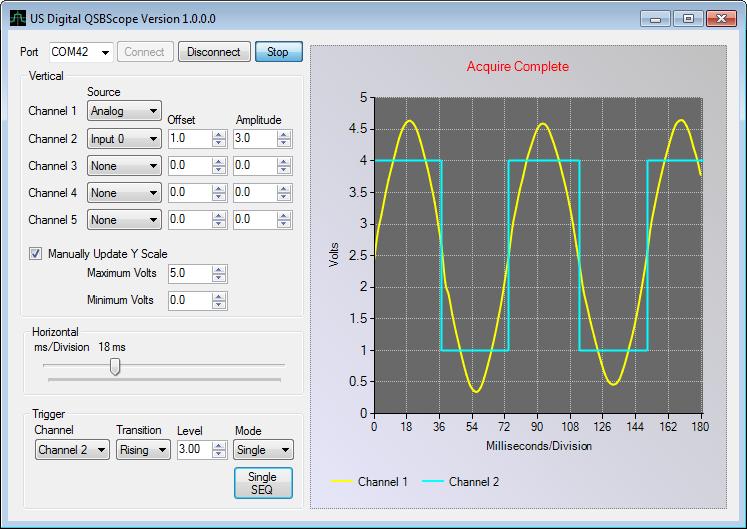
The initial release of the QSB Scope application configures a QSB-M device to stream analog input every 1.95ms and digital input when the input value changes (also limited to every 1.95ms). The resulting input is then displayed to look much like a basic oscilloscope.
The QSB Scope is capable of displaying 1 channel of analog and 4 channels of digital input. Any single channel can be configured to trigger a synchronized screen capture on a rising or falling edge. Basic trigger modes supported include auto, normal, and single sequence.
QSB Scope zip
File Name: qsbscope_111.zip
File Size: 752 Kb
OS Support: WINDOWS 10 | 32 BIT | 64 BIT | WINDOWS 11
Version: 1.11 (6/17/2025)
By clicking "Download", you agree to US Digital's Terms & Conditions and Privacy Policy .
QSB LabView 2010 Demo
The QSB_S LabView 2010 demo utilizes the USDQSB.dll .Net library to access an attached QSB device and read the encoder count value and perform basic encoder configuration. Note: the US Digital Device Explorer must be...
READ MORE (Read me file)
|
VIEW SCREENSHOT
DOWNLOAD qsblabview2010__1-7.zip
(Version: 1.7 2/7/2023)
QSB LabView 2010 Demo zip (READ ME file)
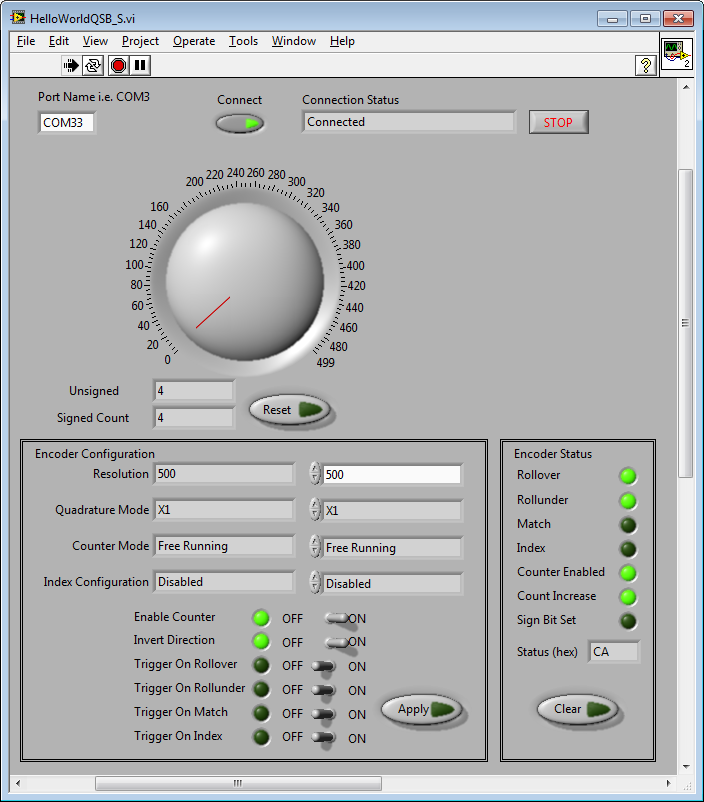
The QSB_S LabView 2010 demo utilizes the USDQSB.dll .Net library to access an attached QSB device and read the encoder count value and perform basic encoder configuration. Note: the US Digital Device Explorer must be installed before this demo will work. Extract the QSBLabView.zip file to your LabView user.lib directory.
QSB LabView 2010 Demo zip
File Name: qsblabview2010__1-7.zip
File Size: 428 Kb
OS Support: WINDOWS 10 | 32 BIT | 64 BIT | WINDOWS 11
Version: 1.7 (2/7/2023)
By clicking "Download", you agree to US Digital's Terms & Conditions and Privacy Policy .
QSB Firmware Updater
The QSBFirmwareUpdater.exe provides the ability to update the firmware on a QSB device. The latest available firmware is embedded in this program. NOTE: The latest update of the QSBFirmwareUpdater includes:1. Fix for a...
READ MORE (Read me file)
DOWNLOAD qsbfirmwareupdater_1-16.zip
(Version: 1.16 1/15/2024)
QSB Firmware Updater zip (READ ME file)
The QSBFirmwareUpdater.exe provides the ability to update the firmware on a QSB device. The latest available firmware is embedded in this program.
NOTE: The latest update of the QSBFirmwareUpdater includes:1. Fix for a problem with setting of the Baud rate for -S and -D QSB devices.2. Fix for "Invert Count" parameter so that it is properply initialized with the saved value at power on.
This feature is only available for QSB devices that support firmware version 13 or higher.
QSB Firmware Updater zip
File Name: qsbfirmwareupdater_1-16.zip
File Size: 456 Kb
OS Support: WINDOWS 10 | 64 BIT | 32 BIT | WINDOWS 11
Version: 1.16 (1/15/2024)
By clicking "Download", you agree to US Digital's Terms & Conditions and Privacy Policy .
QSB Linux Demo
The file streamQSB.c is provided as a demonstration c program of how to communicate with the QSB in a Linux environment. It was tested using Ubuntu 22.04.3 LTS (jammy) but should work similarly in other Debian- based...
READ MORE (Read me file)
DOWNLOAD qsb_linux_example.zip
(Version: 1.02 1/15/2024)
QSB Linux Demo zip (READ ME file)
The file streamQSB.c is provided as a demonstration c program of how to
communicate with the QSB in a Linux environment. It was tested using
Ubuntu 22.04.3 LTS (jammy) but should work similarly in other Debian-
based distributions.
The program opens a USB serial port and configures is to communicate with a
QSB device at 230400 Baud, 8 data bits, no-parity, 1 stop bit. The QSB is then
configured to read an encoder in quadrature mode, X4 counter mode, index
disabled, modulo-N, counter enabled, and the counter preset register set to
1999. This will allow the counter to count up to 2000 pulses before
restarting at 0. The streaming interval is set to 0, enabling the QSB to
stream as fast as possible. The program can be modified to stream at other
interval rates divisible by 1.95 milliseconds. The Threshold register is
set to 1 so that streaming output occurs when the encoder value changes by 1.
The program displays the streamed count value and a timestamp to the terminal
until the user presses ESC or Ctrl-C. The timestamp displayed is the QSB's
timer counter that internally updates at a 1.95 ms interval. The display units
are in seconds. The timestamp counter starts at 0 when the device is powered on or
when the QSB receives a reset timestamp request. The demo resets the timestamp
after configuring the device.
FINDING THE QSB
---------------
The program depends on a hot/cold-plugging mechanism like udev to map the
QSB to a USB-to-serial device. The code assumes that no other USB tty
device is present and tries to open /dev/ttyUSB0. This may be a problem in
systems where other USB devices are present that also act as UARTs. Linux
is not deterministic in assigning node files to the scanned devices upon
boot; there is also a possibility that the QSB is plugged later on, when
an unknown number of devices may have been connected to the computer.
CREATING A SYMBOLIC LINK
------------------------
One way to deal with this issue is by creating a symbolic link in the /dev
directory with a predetermined node name that the code can safely use.
For example, /dev/qsb could be a predetermined link that refers to the
actual device assigned by the Kernel. The specific ways to do this vary
by distribution and by hot-plugging mechanism and are out of the scope
of this demo.
An example rules configuration file has been included called 99-usb-serial.rules.
This file should be placed in the /etc/udev/rules.d directory.
It is used to map a usb device that have been added to the system with a
specific idVendor of 0403 and idProduct of 6001 to a symbolic link call QSB-DEVICE.
The demo program assigns the SERIAL_PORT to the QSB-DEVICE symbolic link.
When a QSB device is plugged in, you should see ttyUSB0 and the symbolic link
QSB-DEVICE show up in the /dev directory.
Type cd /dev to switch to the /dev directory and ls to list the content of the directory.
For information on using udev to create the link automatically at boot or
at plug-in time, check the following resources:
- en.wikipedia.org/wiki/udev
- reactivated.net/writing_udev_rules.html
- ubuntuforums.org/showthread.php?t=168221
The following values for the QSB may be useful when configuring the
hot-plugging mechanism:
- Vendor ID: 0403
- Product ID: 6001
PERMISSIONS
-----------
You may run into permission issues accessing the device. Rather than granting execute
permissions to ttyUSB0 or QSB-DEVICE, which comes and goes as the device is plugged
or unplugged, add yourself to the permission group the ttyUSB0 device belongs to.
To see the groups you are in, type: groups
To see all available groups, type: compgen -g
We are looking for the groups, tty and dialout.
To add yourself to the tty group, type: sudo usermod -a -G tty username
To add yourself to the dialout group, type: sudo usermod -a -G dialout username
RUNNING THE DEMO
----------------
The code is self-contained and does not need anything beyond stdlibc, so
the compilation should be straightforward:
gcc -o streamQSB streamQSB.c
Make sure to plug in the QSB before running the demo to avoid errors due to
a missing dev node. Depending on your particular setup, some modifications
to the code may be necessary.
If you prefer and integrated development environment, download and install VS Code.
https://code.visualstudio.com/Download.
QSB Linux Demo zip
File Name: qsb_linux_example.zip
File Size: 20 Kb
OS Support: WINDOWS 10 | 32 BIT | 64 BIT | WINDOWS 11
Version: 1.02 (1/15/2024)
By clicking "Download", you agree to US Digital's Terms & Conditions and Privacy Policy .
QSB Python Demo
The file streamQSB.py is provided to demonstrate how to communicate with a QSB device. The progam displays a streamed encoder count value and a timestamp to the terminal until the user presses q or Ctrl-C. The timestamp is...
READ MORE (Read me file)
DOWNLOAD qsb_python_example.zip
(Version: 1.0 1/15/2024)
QSB Python Demo zip (READ ME file)
The file streamQSB.py is provided to demonstrate how to communicate with a
QSB device. The progam displays a streamed encoder count value and a timestamp
to the terminal until the user presses q or Ctrl-C. The timestamp is the
elapsed time since the QSB timestamp was reset or since the application was
started.
The demo has been tested to work on Windows 10, Linux Ubuntu 22.04.3 LTS
(jammy), and Raspberry Pi 4, but should work similarly in other Debian-based distributions.
The demo connects to an attached QSB and configures it to read an encoder in
quadrature mode, X4 counter mode, index disabled, modulo-N, counter enabled,
and the counter preset register set to 1999. This will allow the counter to
count up to 2000 pulses before restarting at 0.
A QSB can be configured to stream encoder count values to a host application
by writing values to the Threshold and Interval Rate registers and then submitting
a stream data request. In this demo, a value of zero is written to both registers.
The threshold represents the absolute change in value before a new output value is
reported. The Interval Rate sets the data output display rate in 1.9ms steps(1/512
Hz clock). For example, a value of 1 = 1.95 ms delay, 2 = 3.9 ms delay and so on.
QSB ON WINDOWS
--------------------------
A QSB device will enumerate on a Windows system as a virtual COM port.
The first time a QSB is recognized by the OS, it is assigned a COM port and
configured with a latency timer value of 16 msec. To optimize performance,
the latency timer should be changed from 16 to 1. To access the latency timer
value, open the Device Manager, select the appropriate COM port under the Ports
(COM & LPT) node, right-click and select properties. Select the Port Settings
tab and then click the Advanced... button. From the Latency Timer (msec)
drop-down list, select 1 and then click OK.
QSB ON LINUX
------------------------
The program depends on a hot/cold-plugging mechanism like udev to map the
QSB to a USB-to-serial device. The code assumes that no other USB tty
device is present and tries to open /dev/ttyUSB0. This may be a problem in
systems where other USB devices are present that also act as UARTs. Linux
is not deterministic in assigning node files to the scanned devices upon
boot; there is also a possibility that the QSB is plugged later on, when
an unknown number of devices may have been connected to the computer.
One way to deal with this issue is by creating a symbolic link in the /dev
directory with a predetermined node name that the code can safely use.
For example, /dev/qsb could be a predetermined link that refers to the
actual device assigned by the Kernel. The specific ways to do this vary
by distribution and by hot-plugging mechanism and are out of the scope
of this demo.
An example rules configuration file has been included called 99-usb-serial.rules.
This file should be placed in the /etc/udev/rules.d directory.
It is used to map a usb device that have been added to the system with a
specific idVendor of 0403 and idProduct of 6001 to a sysmbol link call QSB-DEVICE.
The demo program assigns the SERIAL_PORT to the QSB-DEVICE symbolic link.
When a QSB device is plugged in, you should see ttyUSB0 and the symbolic link
QSB-DEVICE show up in the /dev directory.
Type cd /dev to switch to the /dev directory and ls to list the content of the directory.
For information on using udev to create the link automatically at boot or
at plug-in time, check the following resources:
- en.wikipedia.org/wiki/udev
- reactivated.net/writing_udev_rules.html
- ubuntuforums.org/showthread.php?t=168221
The following values for the QSB may be useful when configuring the
hot-plugging mechanism:
- Vendor ID: 0403
- Product ID: 6001
PERMISSIONS
-----------
You may run into permission issues accessing the device. Rather than granting execute
permissions to ttyUSB0 or QSB-DEVICE, which comes and goes as the device is plugged
or unplugged, add yourself to the permission group the ttyUSB0 device belongs to.
To see the groups you are in, type: groups
To see all available groups, type: compgen -g
We are looking for the groups, tty and dialout.
To add yourself to the tty group, type: sudo usermod -a -G tty username
To add yourself to the dialout group, type: sudo usermod -a -G dialout username
RUNNING THE DEMO
----------------
The code is self contained and does not need anything beyond stdlibc, so
the compilation should be straightforward:
gcc -o qsb-helloworld qsb-helloworld.c
Make sure to plug in the QSB before running the demo to avoid errors due to
a missing dev node. Depending on your particular setup, some modifications
to the code may be necessary.
QSB Python Demo zip
File Name: qsb_python_example.zip
File Size: 22 Kb
OS Support: WINDOWS 11 | WINDOWS 10 | 64 BIT | 32 BIT
Version: 1.0 (1/15/2024)
By clicking "Download", you agree to US Digital's Terms & Conditions and Privacy Policy .